
MacBook Guide 2026: Which MacBook Is Best for You ?If you’ve ever thought about buying a MacBook, chances are you’ve asked yourself one simple question:
“Is it really worth it?”
.And honestly, that’s a fair question.
Because when you look at a MacBook from Apple Inc., it’s not cheap. It costs more than many regular laptops. So before spending your hard -earned Money you went clarity not technical jargon.
So let’s break everything down like two friend sitting together having chai and talking about laptops.
No complicated words. No confusing specs.
Just real talk.
What is a MacBook (In simple words)?
A mac book is a laptop made by the apple inc. that runs on macOS instead of window.
Think of it is this like:
- Windows laptops = Android phones
- MacBook = iPhone
Both do the same basic things. But the experience is different.
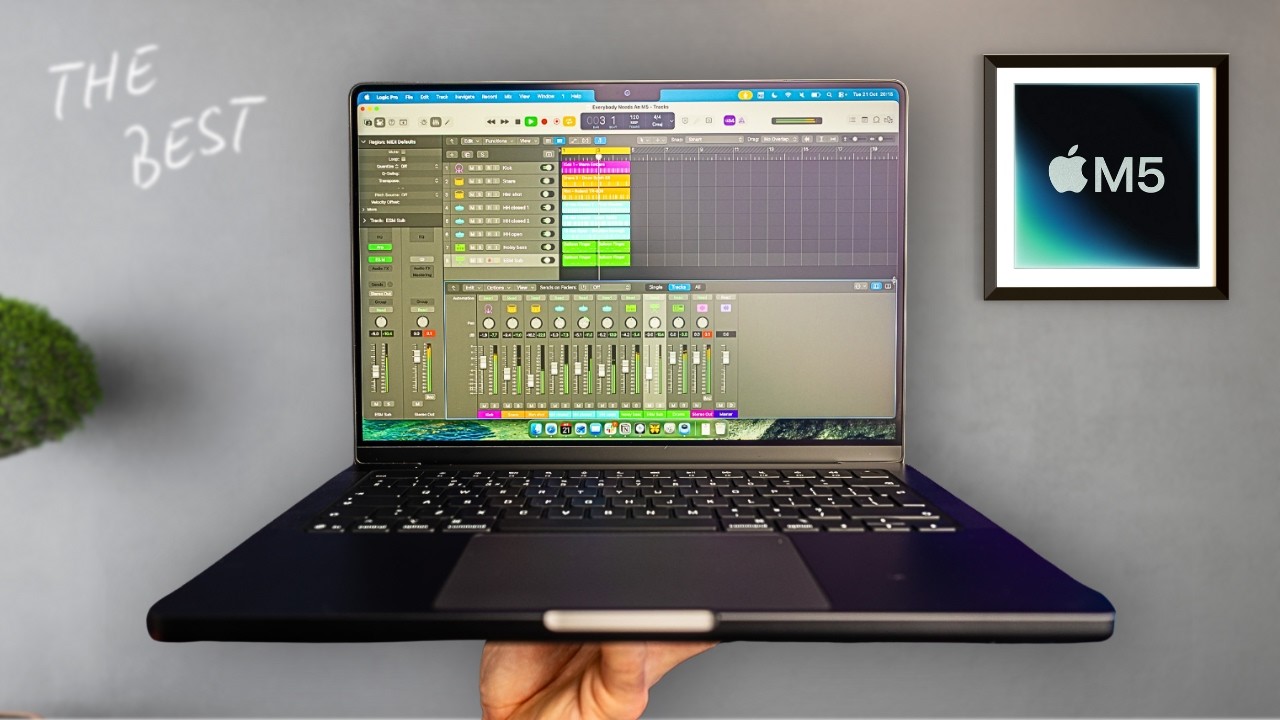
A mac book focuses on:
- Smooth performance
- Premium feel
- Long-term reliability
- Clean, simple user experience
MacBook Guide 2026
Why People Love MacBook (Real-Life Explanation)
Let me explain with for a real-life example.
Imagine you buy a cheap to motorcycle. It works fine at first. But after a year:
- It slows down
- Makes noise
- Needs repairs
Now imagine a high-quality bike:
- Smooth ride
- No issues
- Still runs like new after years
That’s exactly how MacBook feels compared to many regular laptops.
Types of MacBook (Which One Should You Choose?)
Right now, there are mainly two popular types:
1. MacBook Air
2. MacBook Pro
Let’s understand both simply.
MacBook Guide 2026
MacBook Air – Light, Simple, Everyday Use
The MacBook Air is perfect for:
- Students
- Office work
- Freelancers
- Basic editing
- Everyday use
Real life example
Think of mac book air like a Honda Civic
Reliable smooth and perfect for daily life.
What You Get:
- Lightweight (easy to carry)
- Long battery (up to 15–18 hours)
- Silent (no fan noise)
- Fast for normal tasks
Who Should Buy It?
If your work is:
- Browsing
- YouTube
- MS Office
- Online classes
- Light editing
Then MacBook Air is more than enough.
MacBook Pro – Power Machine
The MacBook Pro is for serious users. and MacBook Guide 2026
Best For:
- Video editing
- Programming
- Graphic design
- Heavy multitasking
- Professional work
Real-Life Example:
MacBook Pro is like a sports car 🏎️
Fast, powerful, and built for performance.
What You Get:
- Super fast processing
- Better graphics
- More RAM options
- Advanced cooling
Who Should Buy It?
If you:
- Edit videos (like YouTube or reels)
- Use heavy software
- Do coding or development
Then go for MacBook Pro.
M-Series Chips (Why MacBooks Feel So Fast)
Now here’s something important. best MacBook Guide 2026.
MacBooks now use M chips like:
- M1
- M2
- M3
These are made by Apple Inc. itself.
In Simple Explanation:
Think of it is the like cooking food at home vs ordering from outside.
- Windows laptops = parts from different companies
- MacBook = everything made together
Result?
Better speed
Better battery
Less heating
Performance: What It Feels Like in Daily Life
Let’s say you open:
- 10 Chrome tabs
- YouTube
- Excel
On many laptops:
It starts lagging
On MacBook:
Smooth… like butter 🧈
That’s the difference.
Battery Life (One of the Biggest Wins)
This is where MacBook wins easily.
Real Example:
- Charge at 9 AM
- Use all day
- Still battery left at night
No tension of charger.
Compare that with many laptops:
Battery ends in 3–5 hours
Build Quality (Feels Premium)
When you hold a MacBook, you’ll notice:
- Solid metal body
- Smooth finish
- Strong hinge
- Clean design
It feels like a premium product, not plastic.
macOS vs Windows (Which Is Better?)
Let’s not be biased. Both are good.
macOS (MacBook)
- Clean and simple
- Less viruses
- Smooth performance
- Great for creativity
Windows
- More software support
- More customization
- Cheaper options
Simple Analogy:
macOS = iPhone 📱
Windows = Android 📱
Choose what fits your style.
Keyboard and Trackpad Experience
This is something people don’t talk to about enough.
MacBook Trackpad:
- Super smooth
- Accurate gestures
- Feels natural
Keyboard:
- Comfortable typing
- Great for long work sessions
If you write a lot (like blogging or study), this matters.
Is MacBook Good for Students?
Yes—if budget allows.
Why?
- Long battery
- Lightweight
- No lag
- Great for online classes
But…
If your budget is tight, Windows is also fine.
Is MacBook Good for Gaming?
Short answer. not really
Mac book are not built for gaming.
If gaming laptop is your priority.
Go for a gaming laptop instead.
MacBook for Freelancers & Online Work
This is where MacBook shines.
If you do:
- Freelancing
- Blogging
- Content writing
- Social media work
Then MacBook gives:
Stability
Speed
No distractions
MacBook for Video Editing
If you’re into editing:
- MacBook Air = basic editing
- MacBook Pro = heavy editing
Software like:
- Final Cut Pro
- Adobe Premiere
Run very smoothly.
Storage: How Much Do You Need?
Basic Users:
256GB is okay
Professional:
512GB or more
Tip:
Always think long-term. Storage fills up fast.
RAM: How Much is Enough?
- 8GB = Normal use
- 16GB = Best choice
- 32GB+ = Professional
Think of RAM like working space on a table.
More RAM = more space to work.
Price: Is It Worth It?
Let’s be honest.
MacBook is expensive.
But…
Long-Term View:
- Lasts 5–7 years
- No slowdowns
- High resale value
So it’s not just cost—it’s an investment.
Common Myths About MacBook
Myth 1: MacBook is only for rich people
Wrong
It’s about value, not status
Myth 2: MacBook is hard to use
Wrong
It’s actually easier than Windows
Myth 3: No software works on Mac
Outdated
Most apps now support macOS
Pros and Cons
Pros:
✔ Smooth performance
✔ Long battery
✔ Premium build
✔ Reliable
Cons:
Expensive
Limited gaming
Less upgrade options
Should You Buy of a MacBook?
Let’s make it is the simple.
Buy MacBook if:
- You want long-term use
- You value performance
- You hate lag
- You work online
Don’t buy if:
- You’re on a tight budget
- You want gaming
- You need specific Windows software
Internal Linking Suggestions (For SEO)
If you’re building a blog, you can internally link to:
- “Best Laptops for Students 2026”
- “MacBook Air vs MacBook Pro Comparison”
- “Top Freelancing Tools for Beginners”
- “Best Budget Laptops in Pakistan”
FAQ Section
Q1: Is MacBook better than Windows laptop?
It depends. MacBook is best for performance and stability, while Windows is better for flexibility and budget options.
Q2: Which the MacBook is best for students?
MacBook Air is the good choice for students.
Q3: How long does a MacBook last?
Usually 5–7 years easily.
Q4: Can I use MS Office on MacBook?
Yes, Microsoft Office works perfectly on macOS.
Q5: Is MacBook good for programming?
Yes, especially MacBook Pro.
Conclusion (Simple Takeaway)
If I explain it in one line:
MacBook is not just a laptop—it’s a smooth experience.
It’s like choosing comfort over struggle.
Yes, it is the costs more.
But it saves you time, stress, and frustration.
So if your budget allows, and you want something reliable for years…
MacBook is a smart choice.
MacBook of the Ecosystem (Big Hidden Advantage)
One of the big reasons people stick with the MacBook is the ecosystem of Apple Inc..
The Real-Life for Example:
Imagine you have:
- iPhone
- iPad
- MacBook
Now see what happens:
- Copy something on iPhone → paste on MacBook
- Take a call on MacBook
- Airdrop files instantly
It feels like everything is connected.
This saves time and effort daily.
macOS Updates (Long-Term Support)
MacBooks get updates for many years.
Why This Matters:
On many laptops:
- After 2–3 years → no updates
- Security risks increase
On MacBook:
- Regular updates
- Better security
- New features
It keeps your laptop fresh like new.
Security & Privacy
MacBooks are known for better security.
In Simple Explanation:
Think of your laptop is the like a house.
- Windows = normal lock
- MacBook = strong lock + camera + guard
What You Get:
- Less viruses
- The Built-in protection
- The Privacy-focused system
Display of Quality (Your Eyes Will Notice)
MacBook screens are very sharp and colorful.
Real-Life Example:
Watching YouTube on a normal laptop vs MacBook:
Normal = okay
MacBook = cinematic feel 🎬
Perfect for:
- Netflix
- Editing
- Reading
Speakers & Sound Quality
MacBook speakers are surprisingly powerful.
What It Feels Like:
- Clear sound
- Deep bass
- Loud without distortion
You don’t always need external speakers.
Resale Value (Underrated Benefit)
MacBooks hold value very well.
Example:
- Buy MacBook today
- Sell after 3 years
You still get a good price
Compare that with many laptops:
Value drops quickly
Not, Bloatware (Clean Experience)
Many Most Windows laptops come with:
- Extra apps
- Ads
- Trial software
MacBook?
Clean from day one
No unnecessary apps. No clutter.
Startup Speed (Instant Use)
MacBook starts very fast.
Real-Life Example:
- Open lid → ready instantly
No waiting. No loading screens.
Silent Operation
MacBook Air has no fan.
What This Means:
- No noise
- No overheating sounds
- Peaceful working
Perfect for:
- Study
- Library
- Office
Perfect for Content Creators
If you:
- Make YouTube videos
- Edit reels
- Design graphics
MacBook gives:
- Smooth editing
- Color accuracy
- Reliable performance
Software Optimization
Apps on macOS are highly optimized.
Example:
- Final Cut Pro works extremely fast
- Safari uses less battery than Chrome
Better efficiency overall
Keyboard Backlight (Small but Useful)
Working at night?
MacBook keyboard lights up automatically.
Makes typing easier in low light
Touch ID (Quick Unlock)
MacBooks come with fingerprint unlock.
Benefits:
- Fast login
- Secure payments
- No password typing
Great for Online Earning
If you’re planning to earn online:
MacBook is ideal for:
- Freelancing
- Blogging
- Dropshipping
- Remote jobs
Reliable performance = less stress
Multitasking Without Stress
MacBook handles multitasking smoothly.
Example:
- Zoom call
- Browser tabs
- Excel sheet
All at once → no lag
Heat Management
MacBooks manage heat efficiently.
Result:
- Less overheating
- Better performance
- Longer lifespan
Long-Term Reliability
This is where MacBook shines.
Real-Life Example:
Many users use MacBooks for:
5–8 years
Without major issues.
Minimal Maintenance
You don’t need to:
- Clean viruses
- Reset system often
- Install drivers
It just works.
Ideal for Writers & Students and MacBook Guide 2026
If you write a lot:
MacBook is perfect for:
- Assignments
- Blogging
- Notes
Comfortable typing = better productivity
Cloud Integration
With iCloud:
- Files sync automatically
- Backup is easy
- Access anywhere
No fear of losing data
Professional Image (Small but Real Benefit)
Let’s be honest.
Using a MacBook sometimes gives a professional impression, especially in:
- Freelancing
- Meetings
- Client work
It is not necessary—but it helps.
The Battery Health Longevity
MacBook batteries stay healthy longer compared to many laptops.
Less need for replacement
Better long-term use
Ports & Connectivity (Modern Design)
New MacBooks focus on:
- USB-C ports
- Fast charging
- Clean design
You may need adapters—but it keeps things modern.
Who Should Definitely Consider MacBook?
Let’s simplify again:
- Students (if budget allows)
Freelancers
Content creators
Office workers
Developers
MacBook Guide 2026
Who Should Avoid MacBook?
Be honest with yourself:
Gamers
Very tight budget users
People needing Windows-only software
Final Thought (Extended Version)
If I explain it like a friend:
Buying a MacBook is like choosing peace of mind over constant problems.
Yes, it costs more at the start.
But in daily life:
- Less lag
- Less frustration
- More productivity
And that matters more.
MacBook Guide 2026