
Introduction:
Best AI Pixlr Editing Tool Review 2026 – Free AI Photo Generator – Free AI Photo Generator.AI photo editing is no longer just for professional designers. In 2026 Almost every uses ai tools for creative work. blogger create featured Images with Ai. YouTubers make thumbnails in minutes. Small businesses design social media ads without hiring expensive graphic designers.
Because of this shift, for browser-based editing platforms have become more Famous than ever.
One platform getting major attention right now is Pixlr.
Many creators call it one of the best free AI editing tools available online. Others believe it still cannot compete with professional software from Adobe Inc..
So what is the truth?
In this detailed Pixlr AI Editing Tool Review 2026, we will explore:
- AI photo generator quality
- Editing tools and features
- Real-world usability
- Pricing and performance
- Pros and cons
- Beginner experience
- Comparison with major companies and editing platforms
If you are the searching for a fast, beginner-friendly AI editor, this guide will be help you decide whether Pixlr is worth using in 2026.
Why is the AI Photo Editing Became So Popular
A few years ago, editing photos professionally required technical for knowledge and expensive software. Many beginners found advanced editing programs difficult to understand.
Simple tasks like:
- Removing backgrounds
- Creating thumbnails
- Improving photo quality
- Designing social media posts
often took hours.
Today, AI tools have completely changed that experience.
Modern creators want:
- Faster editing
- Automatic enhancements
- AI-generated images
- One-click background removal
- Smart design suggestions
- Quick exports for social media
For example, a student can now create a professional presentation graphic in minutes. A small online business can build product ads without hiring a designer.
That convenience is exactly why AI editing platforms became so successful.
Best AI Pixlr Editing Tool Review 2026
What is pixlr?
The Pixlr is a browser-based AI photo editing platform designed for creators, students or bloggers, freelancers, marketers, and beginners.
This Unlike traditional desktop software, Pixlr works directly online.
This means users do not need:
- Heavy software installations
- High-end computers
- Advanced editing experience
The platform combines traditional editing tools with modern AI features.
Pixlr includes:
- AI image generation
- AI photo enhancement
- Background removal
- Layer editing
- Templates
- Filters and effects
- Text tools
- Quick social media design features
Because of is the simple interface, More many users prefer Pixlr for quick creative editing tasks.
Who Owns Pixlr?
,More Many users do not realize Pixlr is operated by Pixlr Group, a company focused on the browser-based creative tools and AI-powered editing solutions.
Over the last f of ew years, the company has expanded its AI features significantly to compete with major creative software brands.
In Addition, Today, Pixlr competes with platforms developed by companies like: Best AI Pixlr Editing Tool Review 2026
- Adobe Inc.
- Canva Pty Ltd
- Figma Inc.
Even though Pixlr is the simpler than some professional platforms, it is the accessibility helped it gain millions of users worldwide.
The First Impressions of Pixlr in 2026
When opening Pixlr for the first time, for the platform feels modern and beginner-friendly.
The dashboard is the clean, and most tools are easy to locate.
Unlike older editing software that can be feel overwhelming, Pixlr focuses on simplicity.
Can You immediately notice:
- Fast loading speed
- Minimal interface clutter
- Easy navigation
- Clearly labeled AI tools
- Simple editing workflow
This matters because many beginners stop using editing software when it becomes too complicated.
Pixlr avoids that issue by keeping the experience lightweight and approachable.
Best AI Pixlr Editing Tool Review 2026
This Pixlr AI Photo Generator Explained
One of the Pixlr’s biggest features in 2026 is its AI photo generator.
This tool allows users to create images using text prompts.
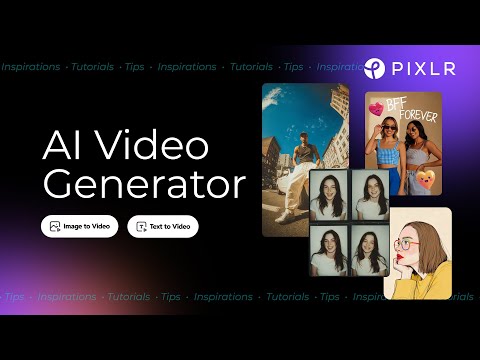
For example, users can type:
- “Cyberpunk city at night”
- “Luxury gaming room”
- “Futuristic sports car”
- “Professional office workspace”
Within seconds, the AI generates multiple image options.
This feature became popular among:
- Bloggers
- Social media creators
- YouTubers
- Freelancers
- Students
- Marketing teams
Instead of searching through stock image libraries, creators can now generate custom visuals instantly.
That saves time while also making content feel more original.
Is the Pixlr AI Generator Actually Good?
For casual creators and beginners, the answer is yes.
The AI image generator performs surprisingly well for:
- Blog graphics
- YouTube thumbnails
- Social media visuals
- Fantasy artwork
- Creative backgrounds
- Marketing content
The generated images often look:
- Sharp
- Colorful
- Modern
- The Social-media friendly
Whenever, AI-generated art is not perfect yet.
Sometimes the AI may:
- Misunderstand prompts
- Create unrealistic hands
- Produce inconsistent facial details
- Struggle with complex scenes
Still, considering the platform’s pricing and accessibility, the results are impressive for everyday creative work.
Real-Life Example of Using Pixlr AI Tools
Imagine running a small YouTube gaming channel.
You need a thumbnail quickly before uploading your video.
Instead of downloading stock images and manually editing them, you open Pixlr and type:
“Futuristic gamer setup with blue neon lights and cinematic atmosphere.”
The AI generates multiple concepts instantly.
You then:
- Add text
- Apply effects
- Adjust colors
- Export the final thumbnail
The entire process may be take less than 15 minutes.
Without AI tools of the same work could take more than an hour.
That is why AI-powered editing platforms are growing so quickly.
This Pixlr Background Removal Tool
Background removal is one of the Pixlr’s strongest AI features.
The AI automatically detects the main subject and removes is the background with one click.
This tool is especially to useful for:
- E-commerce sellers
- Social media creators
- The Graphic designers
- This Students
- Small of businesses
For the example, online stores often need clean product photos with transparent backgrounds.
Pixlr handles this process quickly without requiring advanced editing skills.
The AI usually performs well with:
- Products
- Human subjects
- Animals
- Vehicles
- Objects with clear contrast
Hair detection has also improved compared to earlier versions.
AI Photo Enhancement Features
Sometimes photos appear:
- Blurry
- Dark
- Low quality
- Overexposed
Pixlr uses AI enhancement tools to improve image quality automatically.
These are tools help users:
- this Sharpen details
- Improve of lighting
- Increase clarity
- Reduce image noise
- Improve color balance
This feature is especially useful for the beginners who do not understand professional editing settings.
Instead of the manually adjusting dozens of controls, AI handles most improvements automatically.
This Filters and Creative Effects
Pixlr to includes a wide range of filters and effects.
Famous options include:
- Vintage effects
- Cinematic tones
- Blur effects
- Texture overlays
- Artistic filters
- Color adjustments
These tools help creators design:
- Instagram posts
- Pinterest graphics
- YouTube banners
- TikTok visuals
- Promotional content
Pixlr focuses heavily on fast creative editing rather even deep technical editing.
That is one reason beginners enjoy using it.
Layer Editing Makes Pixlr More Powerful
Many browser-based editors do not support advanced layer editing properly.
Pixlr does.
Layers allow users to:
- Add text
- Combine multiple images
- Create posters
- Design thumbnails
- Build professional graphics
This is feature gives users more many creative flexibility while still keeping the platform beginner-friendly.
For the casual creators, layer support is a major advantage.
Pixlr for YouTube Creators
YouTube creators constantly need visual content.
That includes:
- Video thumbnails
- Channel art
- Shorts graphics
- Social media promotions
Pixlr helps creators produce these visuals quickly.
Since thumbnails directly affect video clicks, creators need tools that it save time without sacrificing quality.
For the beginner YouTubers, Pixlr is often more practical than expensive professional editing software.
Pixlr for Bloggers and Website Owners
Bloggers need visuals for almost every article they publish.
That includes:
- Featured images
- Pinterest graphics
- Article illustrations
- Social media of banners
Instead of the relying completely on stock image websites, bloggers can create original graphics using AI tools.
Pixlr helps website owners:
- Improve branding
- Create unique visuals
- Build content faster
- Design social media posts easily
Original visuals can also improve audience engagement over time.
Pixlr for Students
Students often need:
- Project graphics
- Presentation visuals
- Posters
- Educational content designs
Most students cannot afford expensive editing software subscriptions.
Because Pixlr works inside a browser, it feels more accessible and affordable for educational use.
The simple interface also reduces the learning curve significantly.
Is the Pixlr Easy for Beginners?
Yes, and that is one of its biggest of strengths.
More Many editing platforms feel intimidating for first-time users.
Pixlr feels much easier to the understand.
Most users can quickly learn how to:
- Upload images
- Generate AI art
- Remove backgrounds
- Apply filters
- Add text
- Export projects
within minutes.
This simplicity makes Pixlr attractive for casual creators who want fast results.
Pixlr Pricing in 2026
One reason Pixlr remains popular is its affordable pricing structure.
The free version already includes:
- Basic editing tools
- AI features
- Filters
- Background removal
- Graphic design options
Premium plans unlock:
- More AI image generations
- Better export quality
- Additional templates
- Advanced editing features
- Ad-free experience
Compared to expensive subscriptions from companies like Adobe Inc., Pixlr feels far more affordable for beginners.
Free Version vs Paid Version
The free version works well for casual users.
However, premium plans become useful for:
- Freelancers
- Daily content creators
- Businesses
- Social media managers
- Designers working with clients
Users who create content of regularly may benefit from advanced AI features and higher export limits.
For the occasional users, the free plan is usually enough.
Pixlr Performance and Speed
Performance matters in modern creative workflows.
Infect, Fortunately Pixlr performs well on most systems because it runs directly inside a browser.
Users typically experience:
- Fast loading
- Quick exports
- Smooth editing
- Responsive AI tools
Compared to heavy desktop software, Pixlr feels lightweight and accessible.
This makes it ideal for:
- Budget laptops
- School computers
- Everyday work systems
Biggest Advantages of Pixlr
Pixlr offers several important benefits.
Beginner-Friendly Interface
The clean layout makes editing less stressful for new users.
Browser-Based Convenience
Users can edit from almost anywhere without installations.
AI Features Save Time
AI tools dramatically speed up creative workflows.
Affordable Pricing
Pixlr remains accessible for students and smaller creators.
Fast Editing Workflow
Simple tasks can be completed much faster compared to traditional software.
Weaknesses of Pixlr
No platform is perfect.
Pixlr also has limitations.
Limited Advanced Professional Editing
Professional designers may still prefer advanced desktop software for:
- Deep retouching
- Complex manipulation
- High-end commercial work
Pixlr focuses more on accessibility and speed.
AI Results Can Sometimes Be Inconsistent
Some AI-generated images may contain:
- Strange anatomy
- Incorrect details
- Prompt misunderstandings
This issue exists across many AI image generators today.
Internet Dependency
Since Pixlr is cloud-based, internet speed affects performance.
Offline editing options remain limited.
Ads in the Free Version
Free users may occasionally see advertisements while editing.
Pixlr vs Canva
More Many users compare Pixlr with Canva.
Both of the platforms target beginner creators, but they focus on different strengths.
Pixlr focuses more on:
- AI image editing
- Photo manipulation
- Creative visual effects
Canva focuses more on:
- Templates
- Presentations
- Team collaboration
- Social media layouts
If your priority is AI photo editing, Pixlr may feel more specialized.
This Pixlr vs Photoshop
Comparing Pixlr with Adobe Photoshop is the interesting.
This Photoshop remains for the industry standard for advanced editing.
However, Photoshop to also requires:
- More technical knowledge
- Stronger hardware
- Higher subscription costs
Pixlr performs better for:
- Simplicity
- Accessibility
- Fast editing workflows
Photoshop performs better for:
- Professional design work
- Advanced editing control
- High-end production workflows
Is Pixlr Good for Social Media Content?
Absolutely.
Modern creators need fast content production.
Pixlr helps users create:
- Instagram graphics
- TikTok visuals
- YouTube thumbnails
- Facebook banners
- Pinterest designs
Because of the AI automation, creators can publish content faster without needing advanced design skills.
SEO Benefits of AI-Generated Visuals
Many bloggers underestimate the importance of original visuals.
Custom graphics can help:
- Improve engagement
- Strengthen branding
- Make content more unique
While AI images alone will be not automatically improve rankings, better user engagement can support overall SEO performance.
Who Should Use of Pixlr in 2026?
Pixlr is ideal for:
- Beginners
- Students
- Bloggers
- Freelancers
- YouTubers
- Social media creators
- This Small businesses
If your goal is the fast and beginner-friendly creative to editing, Pixlr is a strong option.
Who Might Not Like Pixlr?
Advanced professionals may still prefer powerful editing ecosystems from companies like Adobe Inc..
This includes:
- The Professional photographers
- Studio editors
- Creative agencies
- Advanced graphic designers
These users often require deeper professional workflows.
Tips for Better AI Images in Pixlr
To improve AI-generated results:
- Use detailed prompts
- Mention lighting styles
- Describe moods clearly
- Generate multiple versions
- Refine prompts gradually
For example, nstead of this:
“Cool city”
Try:
“ This Futuristic cyberpunk city at night with cinematic neon reflections and dramatic lighting.”
Better prompts usually create stronger AI visuals.
Is the Pixlr Safe to Use?
Pixlr is generally considered safe for the regular editing purposes.
However, users should still:
- Avoid uploading highly sensitive files
- Use secure passwords
- Understand platform privacy policies
Basic online safety practices always matter.
FAQ
Is the Pixlr free in 2026?
Yes. Pixlr still to offers a free version with editing tools and AI features.
Is the Pixlr better than Canva?
Pixlr is stronger for the AI photo editing, while Canva is stronger for templates and presentation design.
Can beginners use to Pixlr easily?
Yes. Pixlr is designed to be beginner-friendly and easy to understand.
Does Pixlr include of an AI photo generator?
Yes. Pixlr allows users to create images from text prompts using AI.
Is Pixlr best for YouTube thumbnails?
Yes. Many creators use Pixlr for fast thumbnail creation and creative visual editing.
Does Pixlr work on low-end for laptops?
Yes. Because it is the browser-based, Pixlr performs better on lower-end systems than many traditional desktop editors.
Final of Verdict: Is Pixlr the Best AI Photo Generator?
After reviewing its tools, performance, and usability, Pixlr stands out as one of the best beginner-friendly AI editing platforms available in 2026.
It successfully combines:
- AI image generation
- Fast editing tools
- Browser accessibility
- Affordable pricing
- Creative flexibility
While it may not fully replace professional to editing software from companies like Adobe Inc. for advanced creators, it is the performs extremely well for everyday creative work.
For the bloggers, students, YouTubers, freelancers, and social media creators, Pixlr offers a practical and modern editing experience.
If can you want a fast, beginner-friendly AI photo editor with creative AI tools and easy workflows, Pixlr is definitely worth trying in 2026.
Read More