Website Development Explained Like You are Building a House
Imagine you are building a house .
- The land = domain name
- The foundation = hosting
- The walls & rooms = website pages
- The design & paint = UI/UX
- The electricity & plumbing = backend code
- The furniture = content
This is exactly how website development works .
You do not just create a website . You build it step by step just like a home.
And do not worry you do not need to be a programmer to understand this . By the end of this guide you will clearly know :
- What website development is
- How websites actually work
- Frontend v/s Backend (simple explanation)
- Tools needed in 2026
- Step-by-step website creation process
- Beginner mistakes to avoid
- SEO tips for ranking
- FAQs
Q. What is Website Development ?
Website development is the process of creating building and maintaining websites .
It includes :
- Designing layout.
- Writing code.
- Adding content.
- Making it mobile-friendly.
- Optimizing for SEO.
- Making it fast.
In simple words :
Website development = turning an idea into a working website .
For example:
- News website .
- Blog website .
- Business website .
- Movie website .
- Affiliate website .
- Portfolio website .
All of these are made using website development.
Types of Website Development
There are three main types:
1. Frontend Development (What Users See).
Frontend is everything visible on your website:
- Buttons
- Menu
- Colors
- Images
- Text
- Layout
Languages used:
- HTML code
- CSS
- JavaScript
Example:
When you open a news website and see headlines images that is frontend.
Think of it like :
Frontend = Shop display window
2. Back end Development (Behind the Scenes).
Back end handles:
- Database
- Login system
- Comments
- User accounts
- Admin panel
Languages used :
- PHP
- Python
- Node.js
- MySQL
Example:
When you login to a website back end is working.
Think of it like :
Backend = Shop storeroom
3. Full Stack Development
Full stack = frontend + backend
These developers build complete websites.
Beginner tip:
You do not need full stack at start. You can begin with:
- WordPress
- Blogger
- Shopify
What You Need Before Creating a Website .
Just 4 things :
1. Domain Name .
This is your website name.
Example:
- yoursite.com
- techowifi.com
Tips:
- Keep short
- Easy to remember
- No numbers
2. Web Hosting .
Hosting is where your website files are stored .
Think:
Hosting = land for your house
Types:
- Shared hosting (best for beginners).
- VPS hosting.
- Cloud hosting.
3. CMS (Content Management System)
CMS helps you build websites without coding .
Most popular :
- WordPress (recommended).
- Wix.
- Shopify.
- Blogger.
WordPress powers 40%+ websites.
4. Website Design.
You need :
- Theme
- Layout
- Colors
- Fonts
This makes your website professional.
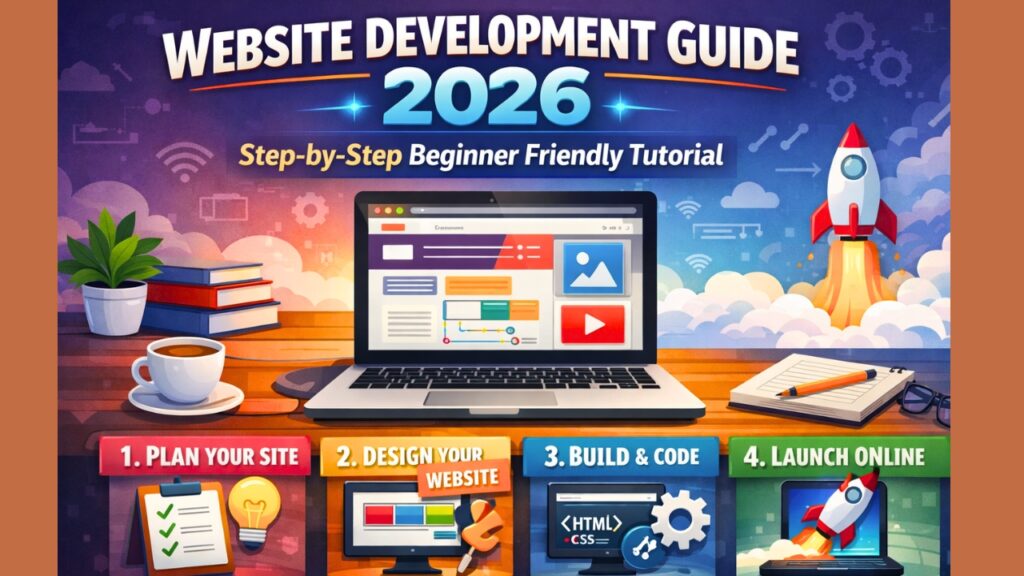
Step-by-Step Website Development Process .
Let is build a website step-by-step.
1: Choose Your Website Purpose .
Ask yourself :
- Blog?
- News?
- Business?
- Movies?
- Affiliate?
Your purpose decides everything .
Example :
News website⇒ categories needed
Blog ⇒ articles needed
Business ⇒ service pages
2: Buy Domain + Hosting .
You buy both together.
After buying :
- Connect domain
- Install WordPress
Time : 10 minutes
3: Install WordPress
Most hosting offers one-click install.
After install you get:
- Dashboard
- Post section
- Pages
- Themes
- Plugins
Now your website is ready .
4: Choose a Theme .
Theme controls your design .
Example :
- News theme
- Blog theme
- Magazine theme
Tips:
Choose theme that is :
- Fast
- Mobile responsive
- SEO friendly
- Lightweight
5: Install Important Plugins .
Plugins add features.
Must-have plugins:
SEO plugin
Cache plugin
Security plugin
Image optimizer
These improve :
- Ranking
- Speed
- Safety
6: Create Important Pages.
Every website needs:
Home page
About page
Contact page
Privacy policy
Disclaimer
These build trust (E-E-A-T signal).
Google likes websites with these pages.
7: Create Categories.
Example:
Technology
News
Sports
Entertainment
Education
Categories help :
- SEO
- Navigation
- User experience
8: Start Publishing Content
Now the most important part.
Content = fuel of website.
Write:
- Helpful articles
- Guides
- Tutorials
- News
Google ranks helpful content in 2026.
Website Development Tools (Beginner Friendly).
Here are easy tools:
Design:
Figma
Canva
Development:
WordPress
Elementor
Images:
Unsplash
Pexels
SEO:
Yoast SEO
Rank Math
Speed:
LiteSpeed cache
WP Rocket
Website Development Cost (2026).
Budget website:
Domain = $10 / year
Hosting = $30 / year
Theme = Free
Plugins = Free
Total = under $ 50
You can build full website cheaply.
Beginner Mistakes to Avoid .
Do not do these :
Using heavy theme
Not optimizing images
No SEO plugin
No categories
Copy content
Slow hosting
No mobile design
These hurt ranking.
SEO Tips for Website Development.
Follow these:
Use focus keyword naturally
Write helpful content
Use headings properly
Optimize images
Improve speed
Add internal linking
Use mobile responsive design
Google ranks helpful websites.
How Long Does Website Development Take ?
Basic website :
1 day
Professional website :
3 to 5 days
Advanced website:
1–2 weeks
It depends on:
- Pages
- Design
- Features
Static v/s Dynamic Website
Static website:
Fixed content
Fast
Simple
Dynamic website:
Database
Login system
Comments
Admin panel
Most modern websites are dynamic .
Website Development vs Web Design .
Web design = look
Website development = functionality
Example:
Design = car shape
Development = engine
Both important .
Website Development Roadmap (Beginner) .
Follow this:
Learn WordPress
Understand themes
Learn plugins
Basic SEO
Content writing
Speed optimization
Monetization
This is enough to start.
Is Coding Required ?
No.
You can build websites without coding using:
WordPress.
Elementor.
Themes.
Coding helps but not required.
Website Development for Beginners (Real Example).
Let is say you want to create:
Movie website
You will :
Buy domain
Install WordPress
Install movie theme
Create categories
Upload iframe videos
Publish articles
Done .
Q. How Websites Make Money ?
Ads
Affiliate Marketing.
Sponsored posts
Digital products
Services
Website development helps earn online.
Future of Website Development (2026).
Trends :
AI websites
Fast loading sites
Mobile first design
Voice search optimization
Simple UI
Websites will become faster and smarter.
Final Thoughts (Personal Note)
Honestly . looks difficult at first. But once you understand the house building concept everything becomes simple.
You do not need to learn everything at once.
Start small .
Create one page.
Then another.
Then publish content.
Slowly your website becomes a complete platform.
Every big website started with one page .
You just need to start .
FAQs
Q. What is website development ?
Website development is the process of creating and building a website using design coding and content .
Q. Can beginners learn website development ?
Yes. Beginners can use WordPress and build websites without coding.
Q. How much does website development cost ?
A basic website costs $30 to $50 per year.
Q. Is coding required ?
No. You can build without coding using WordPress .
How to long does it take?
You can be build a website in one day.