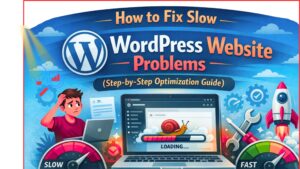
How to Fix Slow WordPress Website Problems (Step-by-Step Optimization Guide). Is your WordPress website loading slowly , do not worry you are not alone. many website owner face this problem and especially beginners. A slow website can reduce your Google ranking, and even decrease your income if you run a blog or online business.
The good news is that fixing a slow WordPress website is not difficult as it sounds.
In this easy guide and we will explain everything in simple wording so anyone can understand and apply these method.
Why website speed so important
Before we fix the problem and understand why website speed matters.
Visitor hate slow website because people today are impatient .
If your site takes more than three sec to load many users will leave without even seeing your content.
Speed help you rank on google.
Speed helps you rank on Google because Google prefers fast websites . meaning fewer people will find you.
Better user experience.
A fast website feels professional and trustworthy.
Higher earning.
If you run ads and affiliate link or an online store speed directly impacts your revenue.
Faster website = More visitors + Better ranking + More money
Check your website speed
before anything you must know how slow your site.
Google Pagespeed Insight.
GTmetrix
Pingdom
website (URL) and click analyze.
What is a good speed ?
Under 2 seconds = Excellent
2–3 seconds = Good
Above Four seconds = Needs improve
Why WordPress website become slow
Most common reasons are
Large images
Heavy themes
No caching
Old wordpress version
Poor optimize
Choose Good Hosting (Very Important)
If the engine is weak your site will always struggle.
many starter buy very cheap hosting to save money but later they suffer from slow speed.
Signs Your Hosting Is Slow:
Website takes forever to open.
Admin dashboard.
Site crashe.
Pages load different each times.
What You Should .
try to select quick and reliable hosting even if it cost a little more.
Spending a few extra $ on hosting can dramatically improve your speed.
Pro idea Avoid overcrowded shared hosting if your website is growing.
A lightweight theme
your theme controls how your site look but some theme are pack with unnecessary feature that slow all things down.
Many people install fancy theme with animation sliders and effect but these often harm performance.
Choose a theme
Simple
Quick
Mobile friendly
Daily life updated
You do not need hundreds of features. A clean design is usually faster and better for (SEO).
Simple theme almost always load fast.
Clear Unnecessary Plugin. WordPress Website Problems
1.Plugin are large because they add new features without coding. But installing too many plugins is like putting heavy weight on your website.
Ask You
Do I truly need this plugin
If not delete it.
Follow These Tips:
Remove unuse plugin
Avoid duplicate plugins
Keep plugin updated
Install plugins trusted sources only.
Quality matters more than quantity.
A site with 10 nice plugin can be fast than one with 30 bad ones.
Improve Your Images (Fast power up)
Pictures are often the very big reason websites become slow.
Uploading large high resolution picture directly from your phone or cameras is a common fault.
Shrink picture WordPress Website Problems
Use tools that reduce image size without lowering quality.
Resize Earliar Upload
If you blogs width is 800px do not upload a 5k px image.
Use profassional Formats
pictures are smaller and speed up than image file.
Enable slow loading
This meaning images load only when the visitor scrolling.
Image best use alone can make your website 50% faster.
Permit Caching (speed progress)
Caching might sound technical then it is actually easy.
but someone visits your site Word press normal build the page from scratch. Caching saves a ready made versions so it loads instantly before time.
Benefits of Caching
Faster loading
Less server stress
Better user skill
A lot plugins can enable caching in just a some clicks.
earlier enabling caching you may Quickly notice a fast boost.
Content delivery network.
If visitors from different countries access your website a content delivery network can help a lot.
Why This topic. WordPress Website Problems
Distance affect loading time.
Closer server Fast website.
Benefit
Faster global
Better security
Handles traffic
Even small websites can benefit from a content delivery network.
Keep Word press Theme and Plugins Updated
Updates are not just about features they also upgrade performance.
Running outdated software can slow your website and create security risk.
Always Update:
Word press core
Plugin
Theme
But always backup your site first before updating.
This safe your data in case something goes wrong.
Clean Your Word press Database
all time your database collects unnecessary data
Spam comment
Post revision
Delete posts
Temporary file
This extra data makes your site heavy.
Fix.
Clean your data base regularly using safe improve tool.
Think of it as remove junk from your computer all things run smooth afterward.
Reduce Heavy Files (CSS and Java script)
Your site load many files to display properly.
Helps
Minify file
Combine file
Remove unuse scripts
Most caching tools offer this feature automatically.
Just enable it and test your website.
Limit ads and popups
Too many ads can destroy your website fast
Yes ads make $ but a slow site drive visitors away.
Try ti it
Avoid excessive popups
Reduce autoplay
Limit flashy ad internet
A slightly cleaner website often monetize more because visitors stay longer.
Optimize for mobile user.
Today very people browse on their phones
If your mobile website is slow you are lose a huge audience.
Optimize Mobile Speed By
Using responsive design
Avoiding large picture
Reducing heavy animations
Keeping layout simple
Google now uses mobile first index meaning mobile performance matters more than desktop.
Safe Your Website From Hackers
hacked a website often become extremely slow.
Malware can secretly use your server resources making any thing lag.
Safe by
strong passwords
security plugins
firewall protections
login attempt
security and speed go hand in hand.
Avoid using nulled theme or plugin
Free nulled versions of paid theme may sound tempting but they are dangerous.
hidden code that.
Slows your site
Steals data
Inject malware
use original products from trusted sources.
Saving a few dollar is not worth destroy your site.
Reduce external requests
All time your website loads fonts scripts or tools from another website it creates a request.
Reduce By
Using Google Fonts
Removing unnecessary widgets
Avoiding too many tracking script.
Keep your site portable.
Monitor fast regularly.
Website optimization is no a single task
Check your speed every few week to catch problem early.
Keep an Eye
Load time
Server answer
Broken plugins
Page size
Common mistakes that slow down websites
Avoid these mistakes if you want a fast website:
huge images
too many plugins
cheap hosting
Ignoring updates
heavy themes
Run to many ads
Fixing just a few of these can create a huge growth.
How Fastest Can Your site Become?
Many websites go from (five to seven seconds) loading time to under two seconds after proper make better.
Dream the change that make for your visitors.
A faster website mean
So traffic
More SEO
Happier visitors
Higher conversions
Read More
Final words
A slow Word Press site can quietly damage your grow. Visitors leave order lower and
Best part is
Start the biggest improvement
Get better hosting
Optimize images
Enable caching
Remove plugins
Use a lightweight theme
You do not need to apply all thing in one day. devolpe one by one and you will see real results.
Recall site speed is not just specific info.
It is a powerful Gain that helps you stand out from the contest..
Fast sites win. forever